Free
Try Pingo with real customers.
$0 /month
- 5 offers a day
- 5 calls a day
- 1 location
- 1 team member
- Chat and reviews
For local businesses
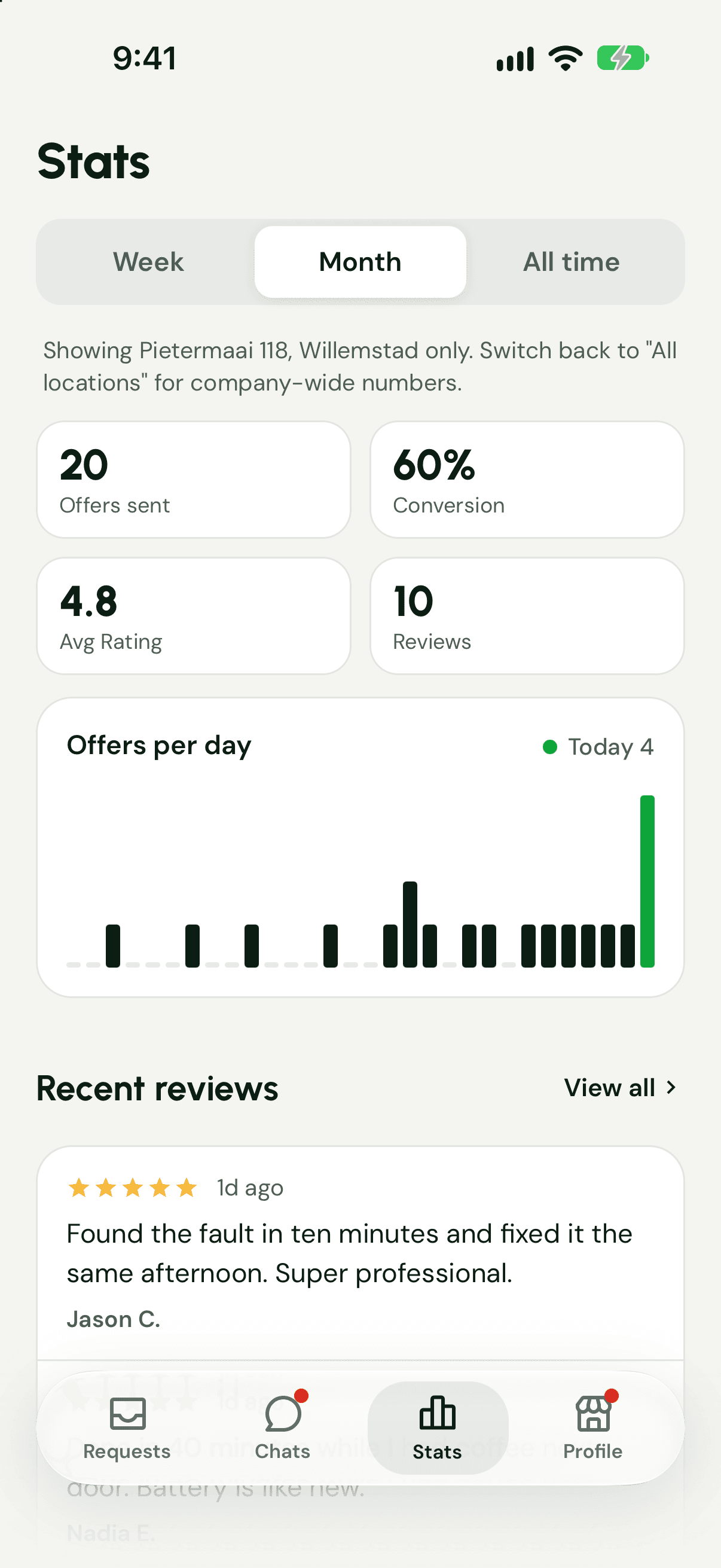
Pingo shows your business live requests from customers nearby, in the categories you cover. Reply with a price, chat with the customer and win the job.
No card needed · No fee per lead · iPhone, Android and web
How it works
Set up your profile once. After that, customers come to you.
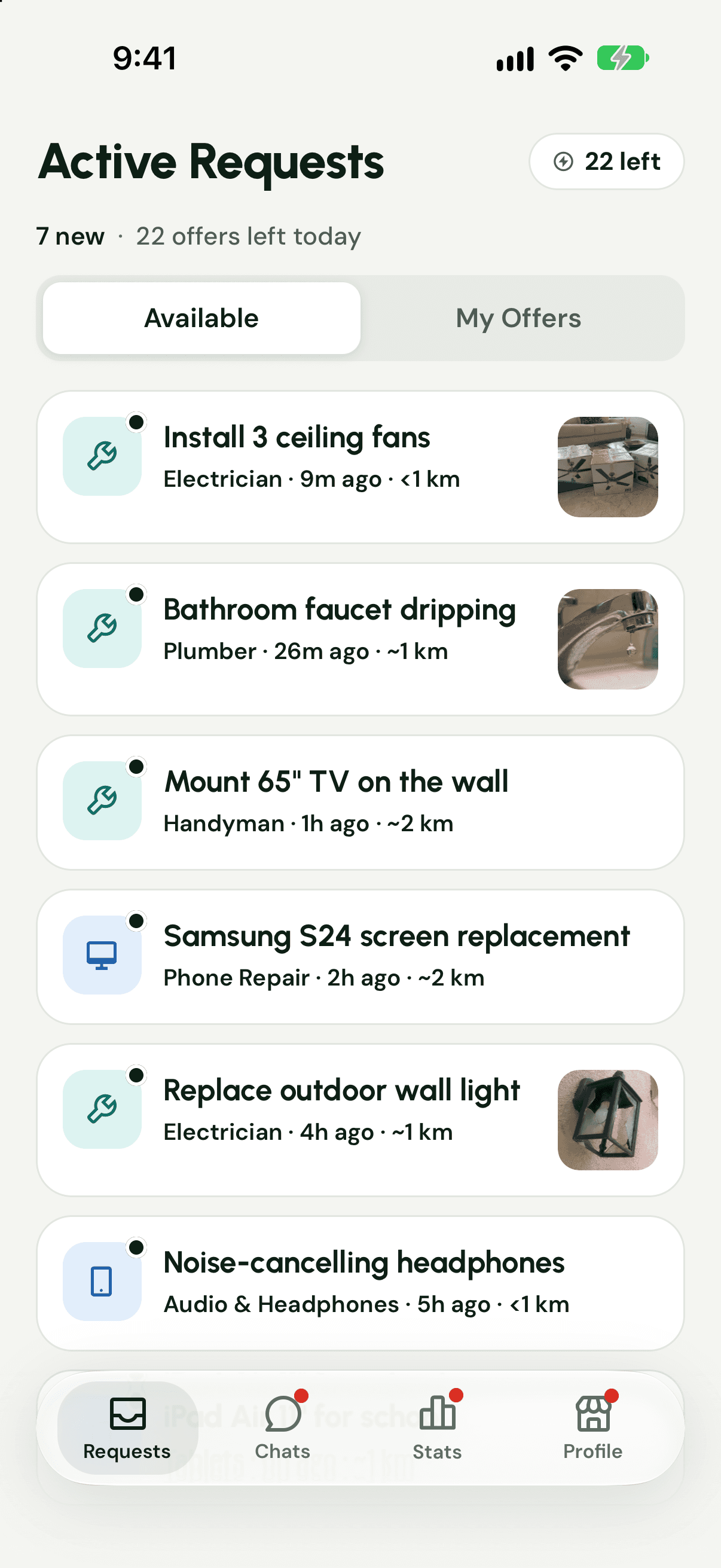
Requests from customers in your area appear in a live feed, filtered to the categories you cover. You get a notification the moment one comes in.
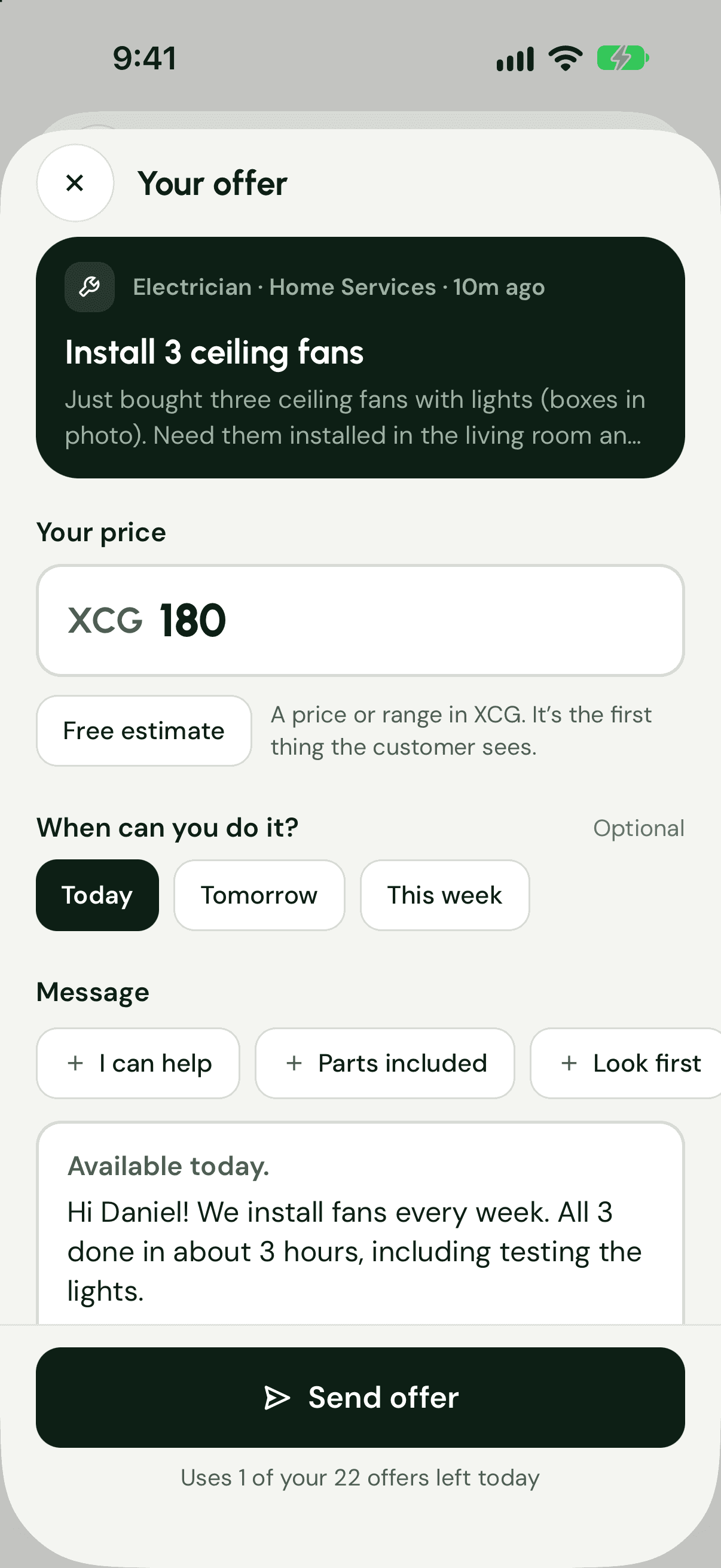
Reply with a fixed price, a range or a free estimate, say when you can do it, and add a short message. It takes a few taps.
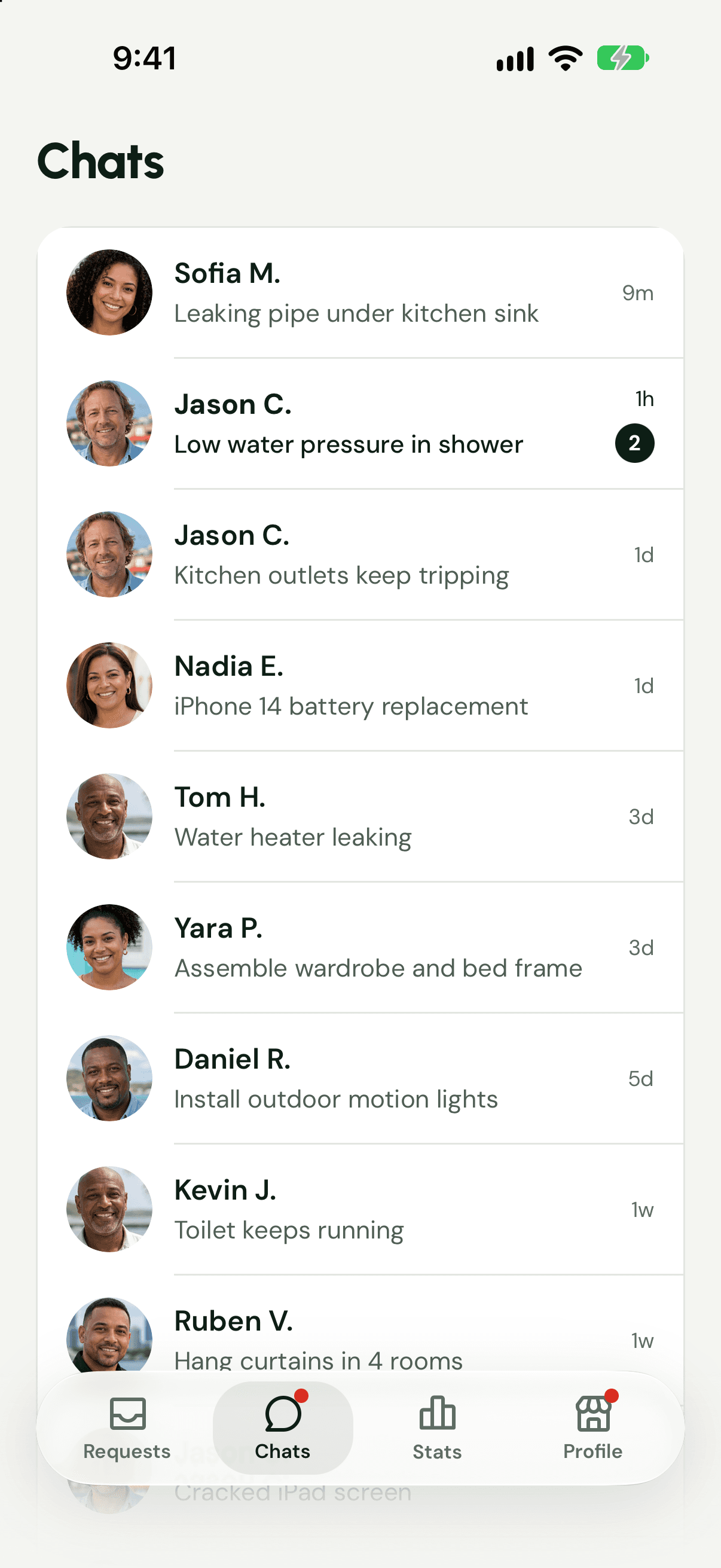
When the customer picks you, a chat opens. Agree on the details, call from the app if it’s faster, and collect a review when you’re done.
Pricing
Start free and upgrade when you want to send more offers. You pay a flat monthly plan, never a fee per lead or per job. Cancel anytime.
Try Pingo with real customers.
$0 /month
For businesses that take several jobs a day.
$49 /month
No limits, for busy teams.
$99 /month
Prices in USD. The app shows the price for your region.
| Limit | Free ($0) | Pro ($49) | Gold ($99) |
|---|---|---|---|
| Offers per day | 5 | 25 | Unlimited |
| Calls per day | 5 | Unlimited | Unlimited |
| Locations | 1 | 5 | Unlimited |
| Team members | 1 | 10 | Unlimited |
What you get
There is a free plan with 5 offers a day. Pro costs $49 a month with 25 offers a day, and Gold costs $99 a month with no limits. Prices in your region may differ and are shown in the app.
No. Pingo is a flat monthly plan. You can see every request in your area; the plan only sets how many offers you can send each day.
No. The free plan needs no payment details. You only add a card when you upgrade to Pro or Gold.
Pingo is live in Curaçao, Aruba, Bonaire and Medellín. If you’re somewhere else and want Pingo in your city, write to support@meetpingo.com.
Customers see every offer with its price, your rating and the distance. They can sort by newest, closest or top rated, so good reviews and a clear price help you win.
The customer pays you directly, by cash, transfer or whatever you already accept. Pingo does not take a cut of the job.
Yes. Invite them from the team screen. Each person gets their own sign-in, role and assigned locations.
Yes. You can cancel or change your plan from the billing page at any time.
Create your business profile, pick your categories, and start seeing requests from people nearby.